What it does

One place, in plain words.

Home by Six is not another CRM and it does not replace your booking system. It reads what you already have and tells you what needs doing, who, and by when. Every screen below is the real app with a fictional clinic's data.

Owner Hub

Your cockpit.

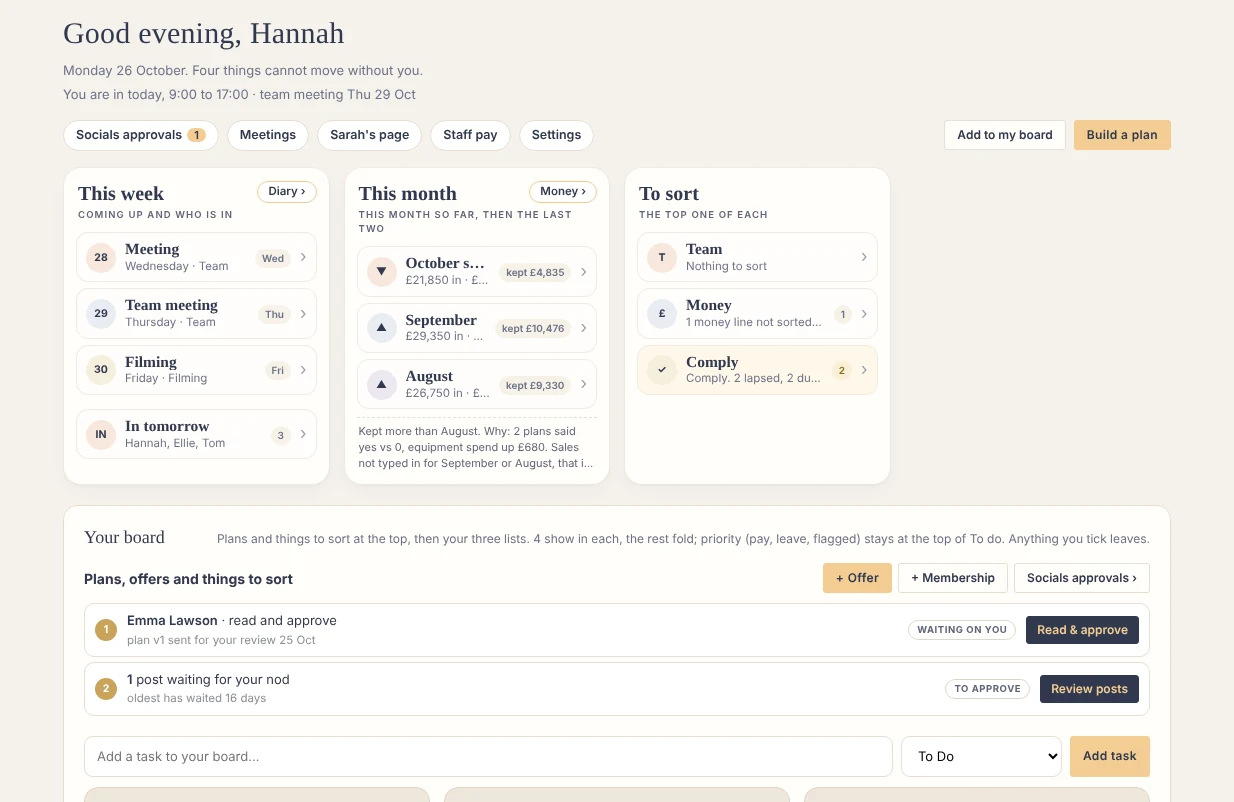
What needs you today, and nothing else. Leave to approve, plans to approve, the money tile with this month and the last two, your diary. Every card says what is happening, what is next, who and when. Each list shows the first four, then folds away.

Owner Hub · home
Owner Hub home with demo clinic data
Owner Hub, the real screen
Clinic Hub

The team's day.

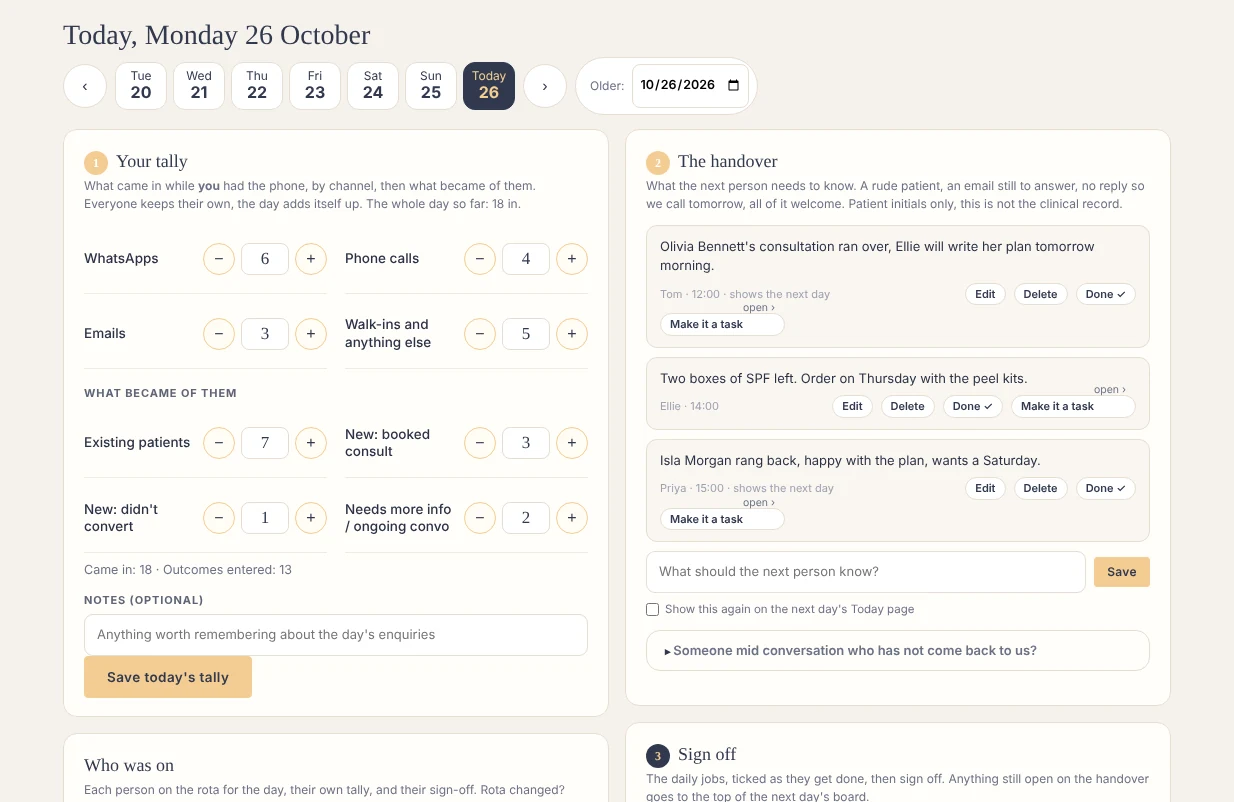
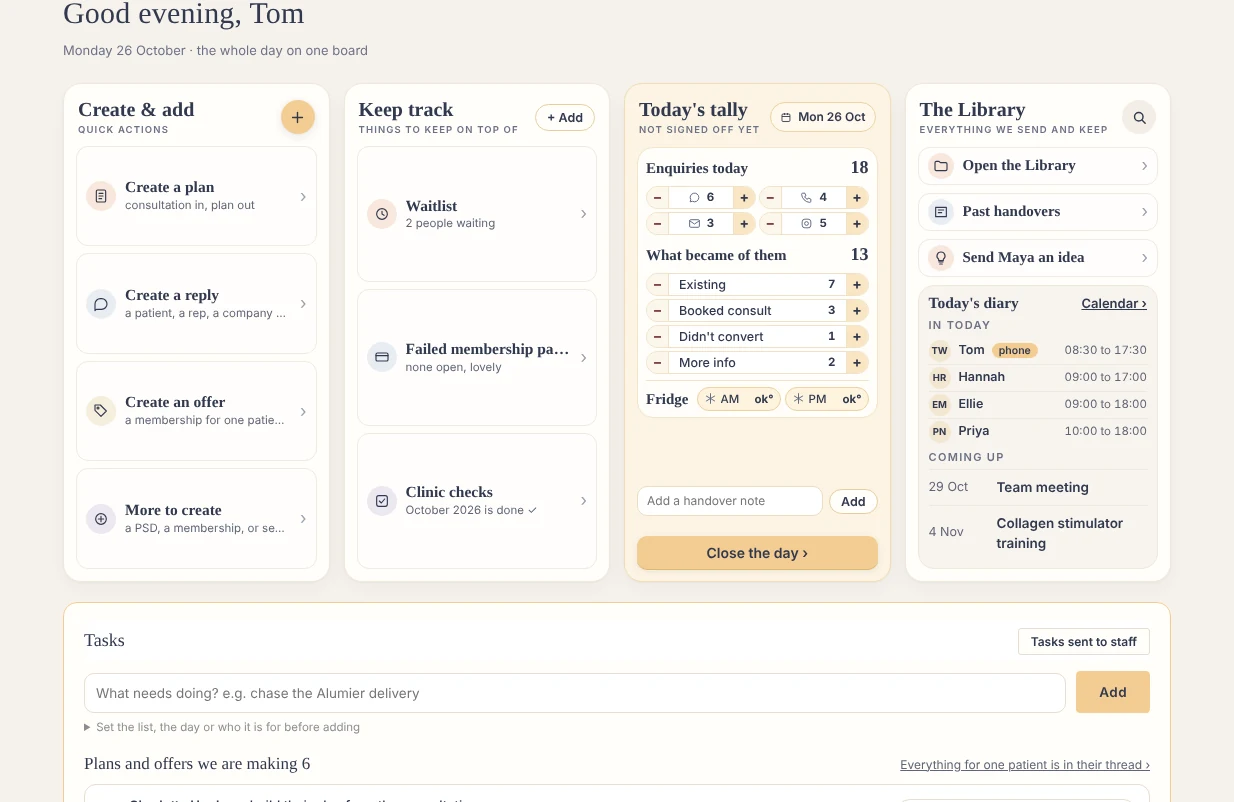
Team Today: who is in, who holds the phone, what is waiting. The daily tally and the handover written up at the end of the day, signed off in three steps from any phone. The rota comes from your roster, read from Phorest or dropped in, never typed again.

Clinic Hub · Team Today
Team Today with demo clinic data
Team Today
Clinic Hub · Close the day
Close the day: the tally, the handover, the sign off
Close the day, three steps
Patients and Plans

Consult in, plan out.

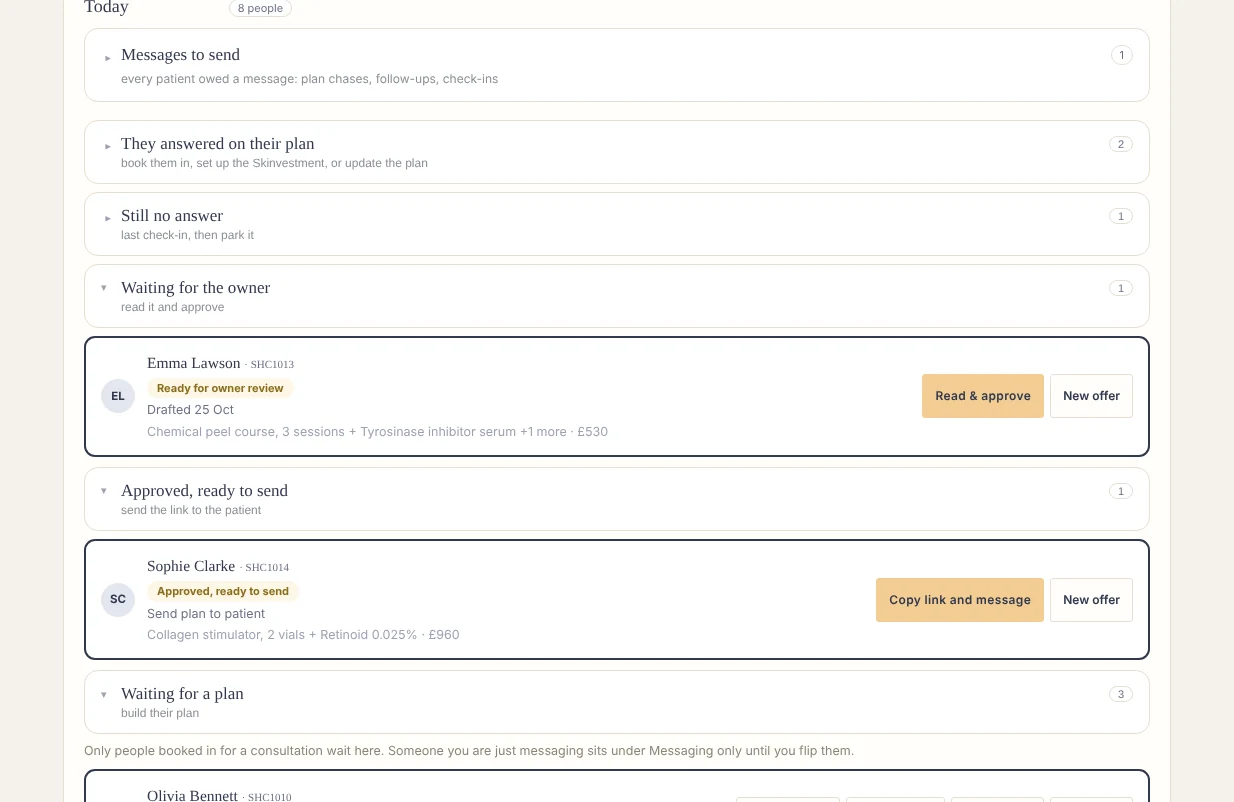
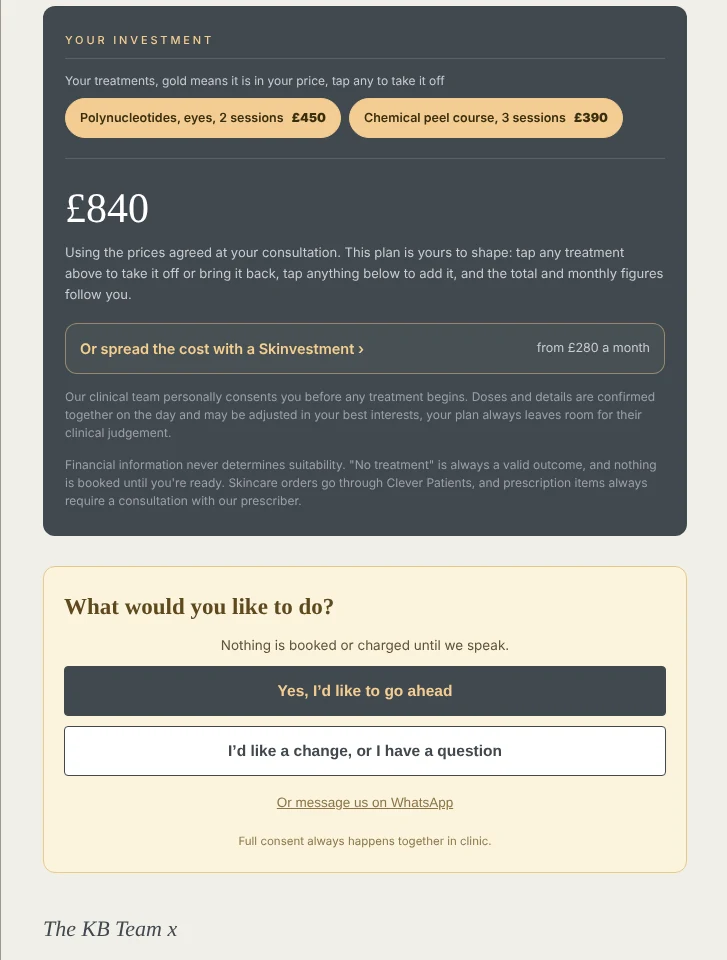
After a consultation the patient appears in one stage until her treatment plan is written, approved by the owner and sent. The plan is her own page, on your clinic's own patient address, with a yes or "I'd like a change" button. Photos sit beside it. A membership offer folds inside the plan, quietly.

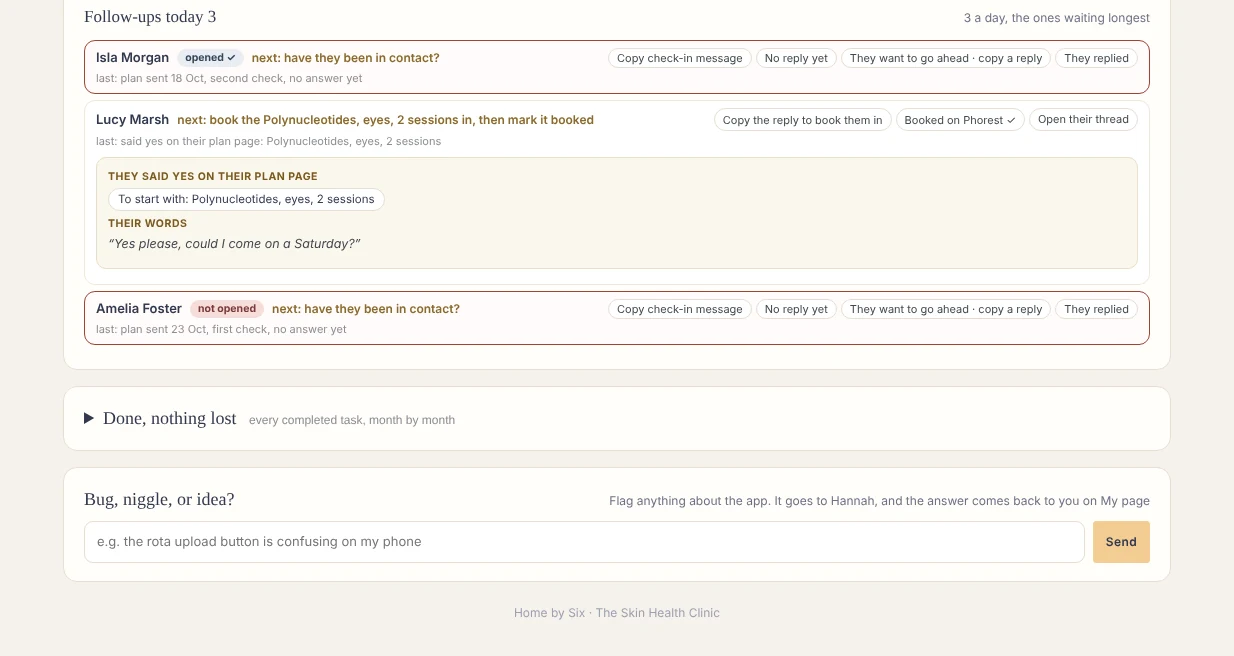
Follow-ups run on a ladder, not a memory:

  • 3 daysNot opened yet? It comes back to the team.
  • 1 weekAfter it went out, the team check in. A week later, again.
  • 4 weeksIt returns, only if nobody has heard from her.
  • 2 monthsOne last time. Then it rests.

Replies: a ready message for every kind of page you send, written once, using your clinic's own facts, so a draft never gets a price or a policy wrong.

Patients · waiting for a plan
Patients waiting for a plan
Waiting for a plan
Her plan, on her phone
The patient's own plan page: her investment, and the yes or I'd like a change buttons
The patient's plan page
Clinic Hub · follow-ups today
Follow-ups today: three patients, each with the next step and a ready message
The follow-up list
Money · owner only

One In, one Out.

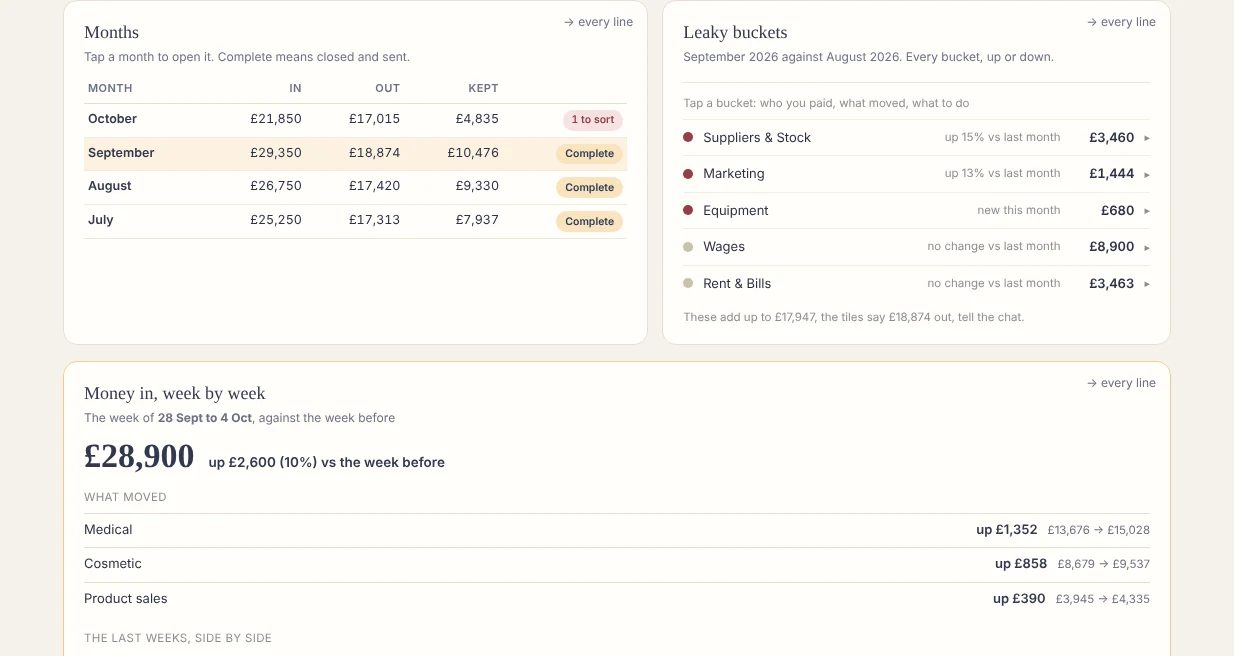
Add a month: drop in the files you already download (your booking system's sales report, your card processor, your bank statements) and every line is read and sorted. The unfamiliar ones are asked about once and remembered. The month closes in five steps and the accountant page holds exactly what she asked for.

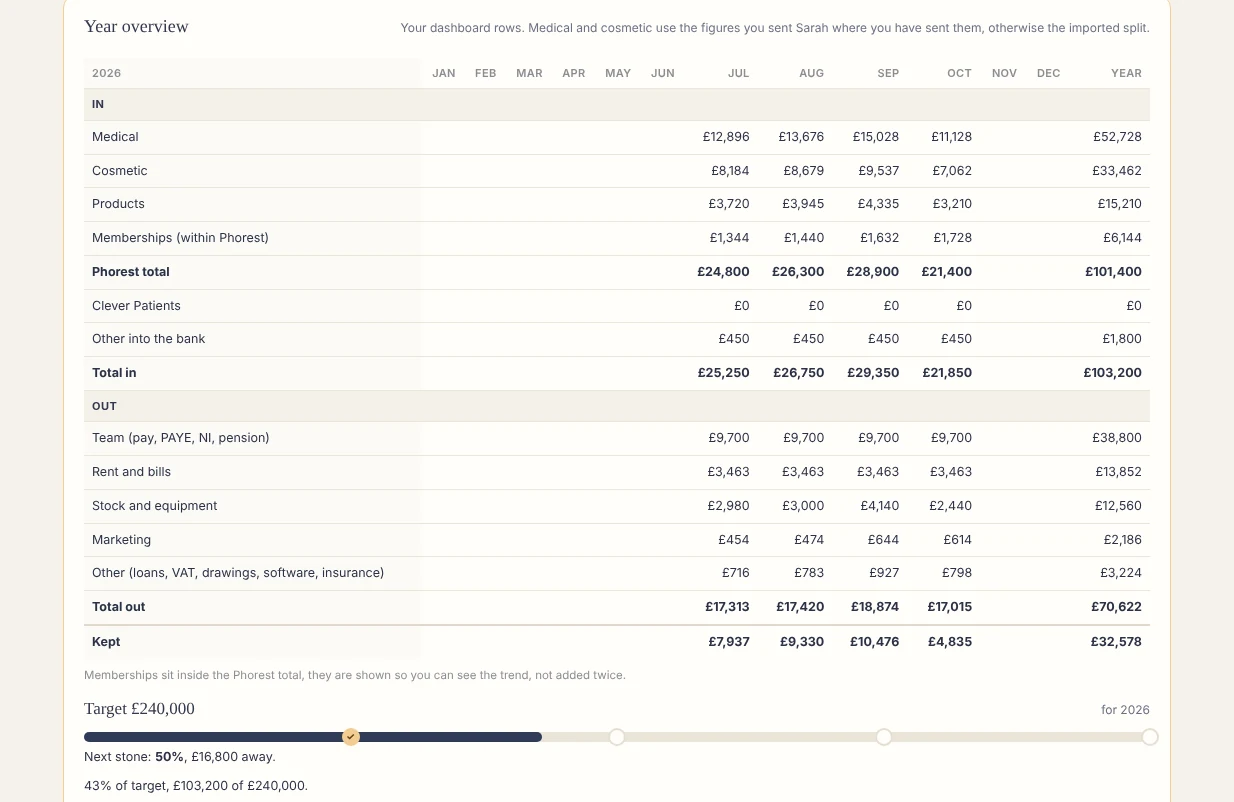
The year overview. Leaky buckets: where the money went, bucket by bucket, against last month. What each membership actually makes you, cost in, profit out. Figures nobody but you can see, ever.

Money · months and leaky buckets
The months list and the leaky buckets side by side
A month, and the leaky buckets
Money · year overview
The year overview: in, out and kept, month by month, with the target
Year overview, demo figures
Comply

Inspection-ready, without the ring binder.

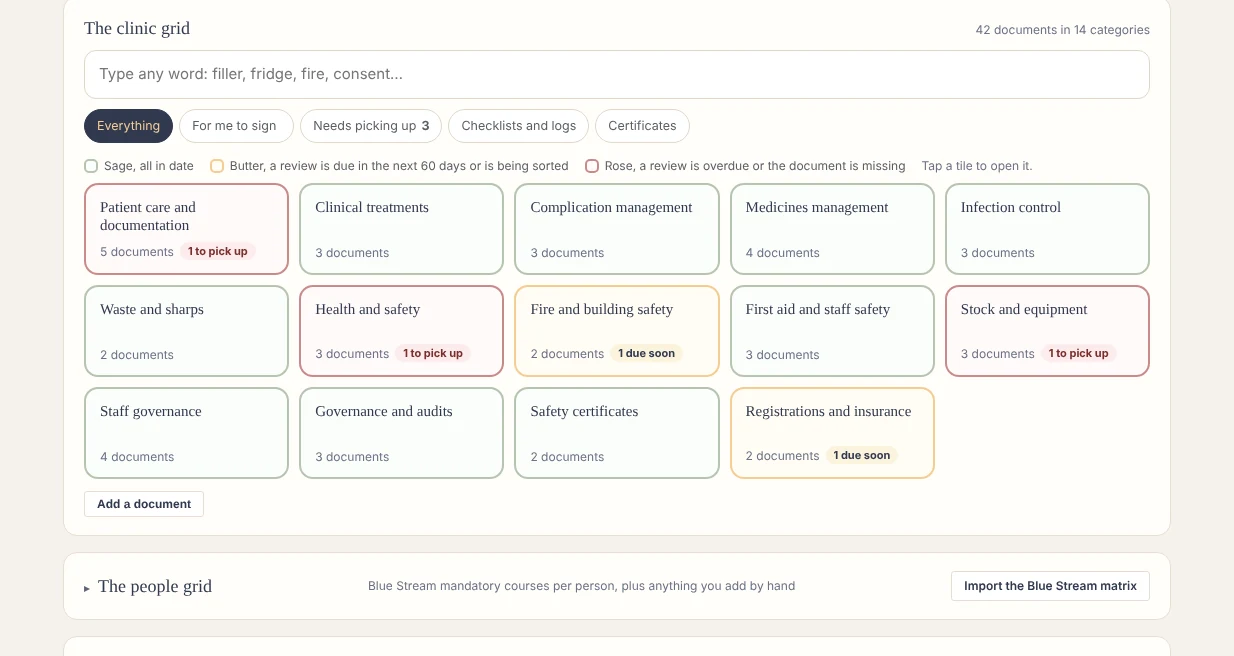
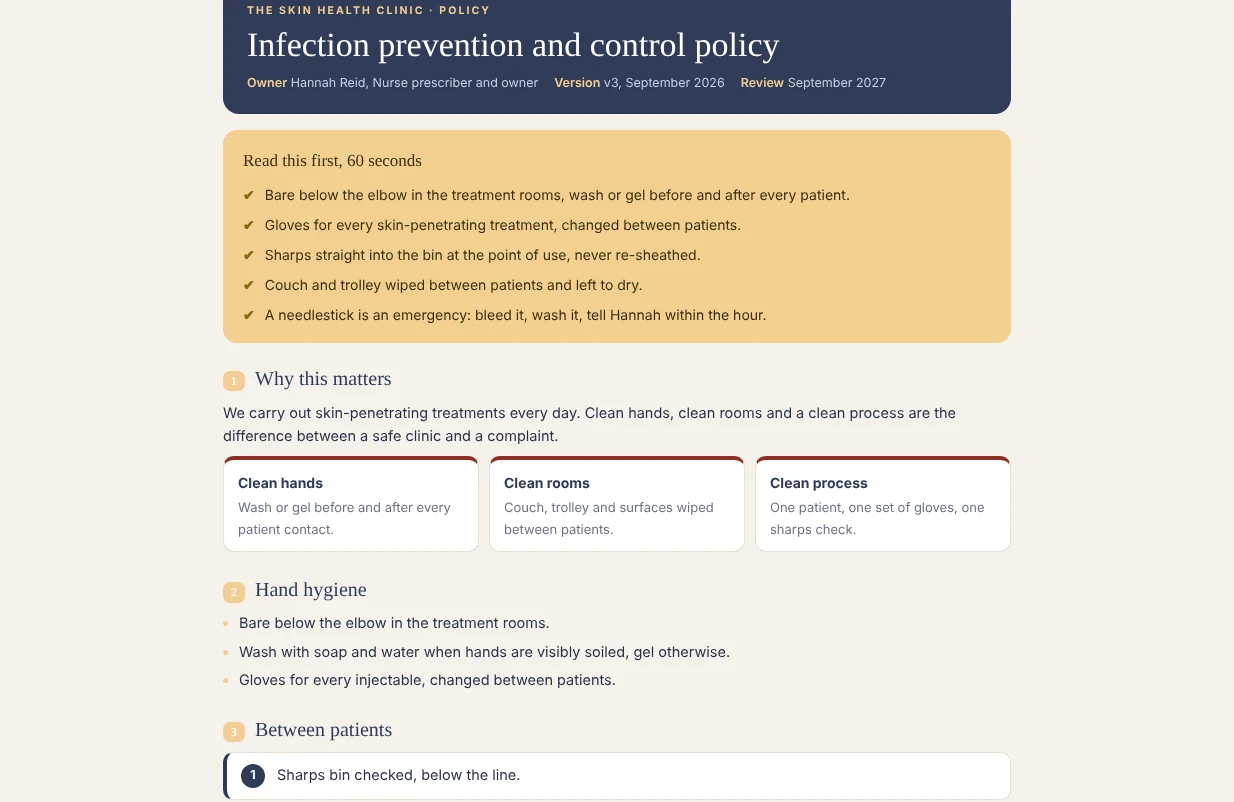
Every policy, procedure and record in one grid, in categories, in your clinic's words. Documents are pages in the app, with "I have read this" on the page; a signature lasts until the document is next reviewed or updated, so an annual review asks everyone again.

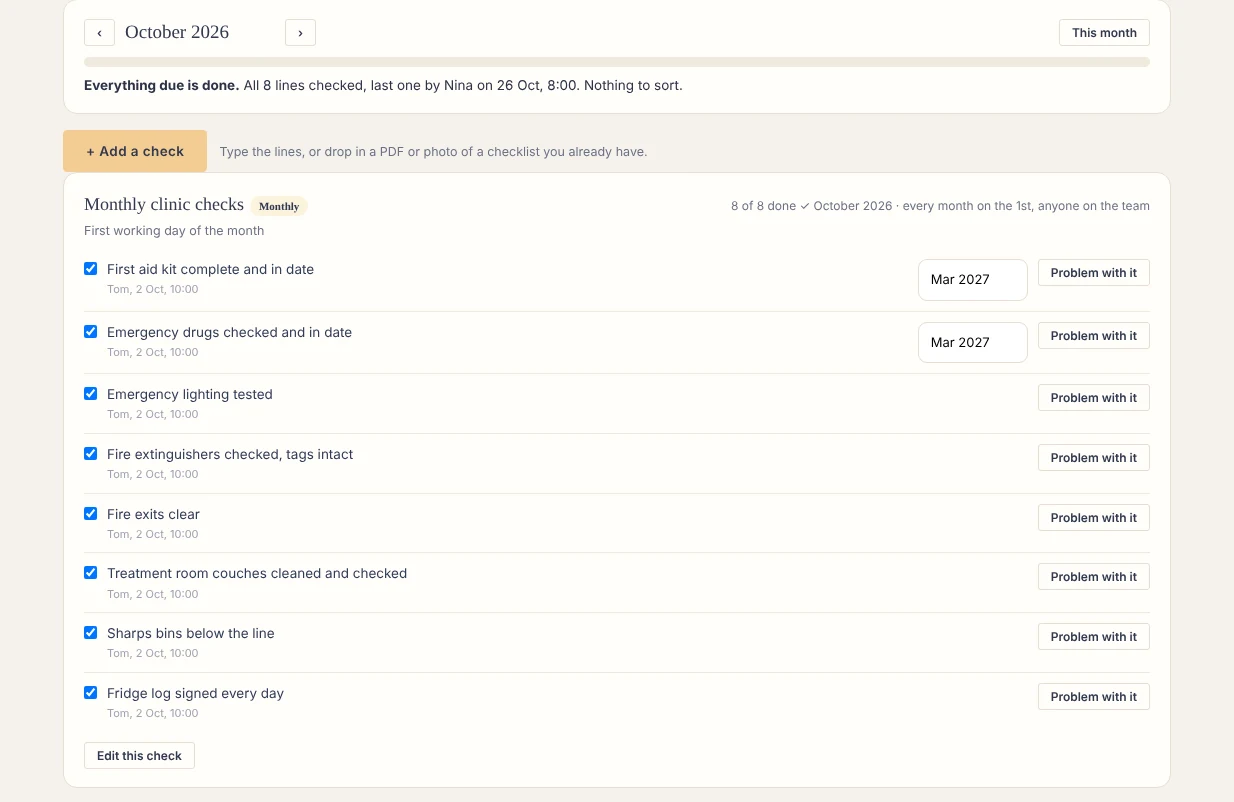
Monthly clinic checks (first aid, emergency drugs, lighting, fire equipment) ticked inside the app, with the history. Training imported from your provider's matrix, overdue works itself out. The inspection pack is one page: inspector view, then print.
Comply · the clinic grid
The clinic grid: one tile per category, colour and a word for each
The clinic grid
Comply · a document
A policy as a page in the app, with the 60-second box and I have read this
A document page
Comply · clinic checks
Monthly clinic checks ticked in the app, each with who and when
Monthly checks
Socials

With your social person.

One status ladder from idea to posted. A calendar with filming days. Approvals with a conversation on each post, so you approve from your phone. Campaigns as small bets: the goal, the result, what you make of it.

Socials · calendar
The socials calendar for the month, with filming days and the status of every post
Socials calendar
Socials · approvals
Approvals: one post under review with its conversation and the approve button
Approvals
My page

Everyone's own page.

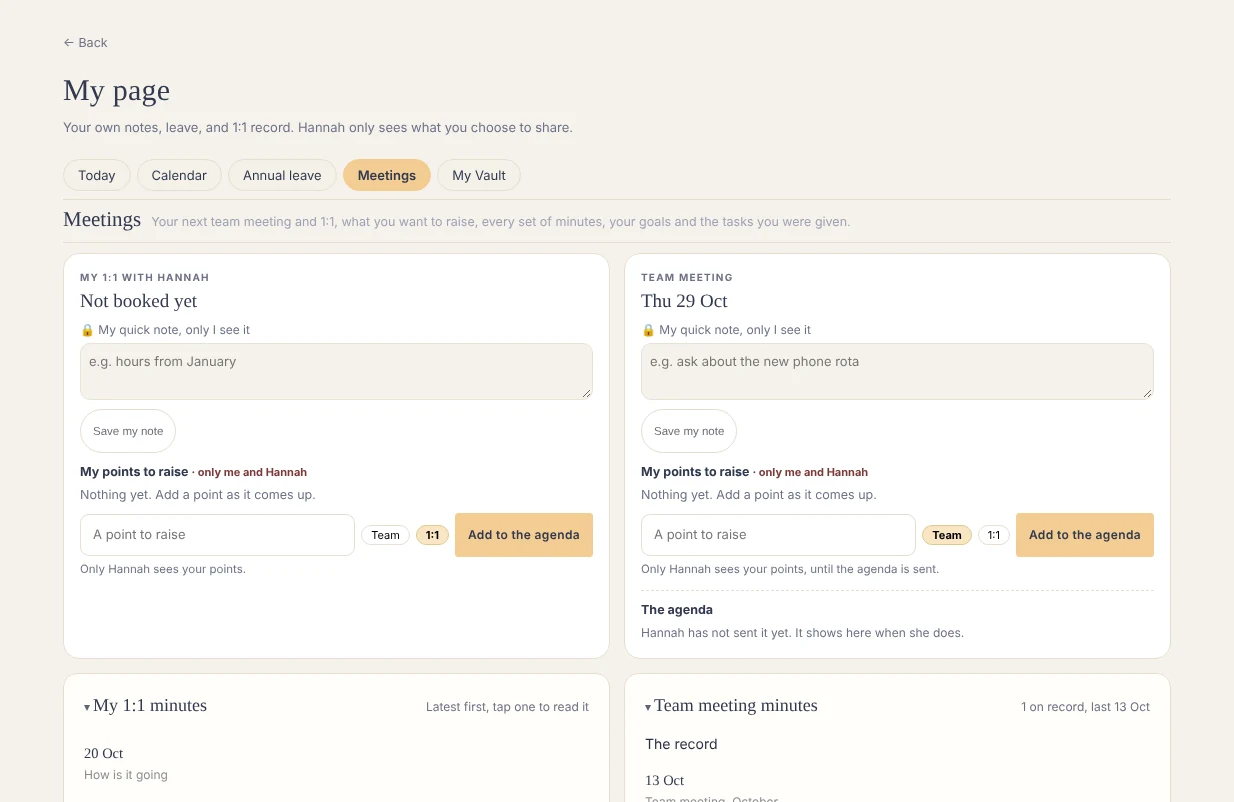
Each person's own page: their hours, invoices or leave, their goals, their 1:1s. The agenda is ready, the meeting written up and shared in a few clicks. The team calendar sits beside it, and a place to raise a point for the next 1:1 or team meeting, straight onto the owner's agenda.

My page · meetings
A team member's My page, on the Meetings tab
A My page
And

Also inside

The Vault: owner-only documents, bank statements, contracts, reports. The Library: every page the team reaches for, plus the how-to pages. Training: mandatory courses, registration and CPD in one place.

Not inside, on purpose

Bookings, payments, patient records. Those stay in your booking system, read, never retyped. Any booking system works: its reports drop in. Phorest is also read live today; other systems will follow.

The next step

Which of these is your 9pm question?

Book a demo and we start there. Thirty minutes with Kelsey on the demo clinic.

Book a demo