There is a particular feeling on the 28th of the month. The clinic has been busy, the card machine has been going all day, and I have no idea whether we made money. I know what came in, roughly. I have no idea what went out, because it went out of three places and nobody has added it up.
For years the month closed in the accountant's office, a quarter later, as a figure I could not argue with and did not fully understand. Now it closes at my kitchen table in five steps. Here they are, in order, with what each one is for.
1. Add a month
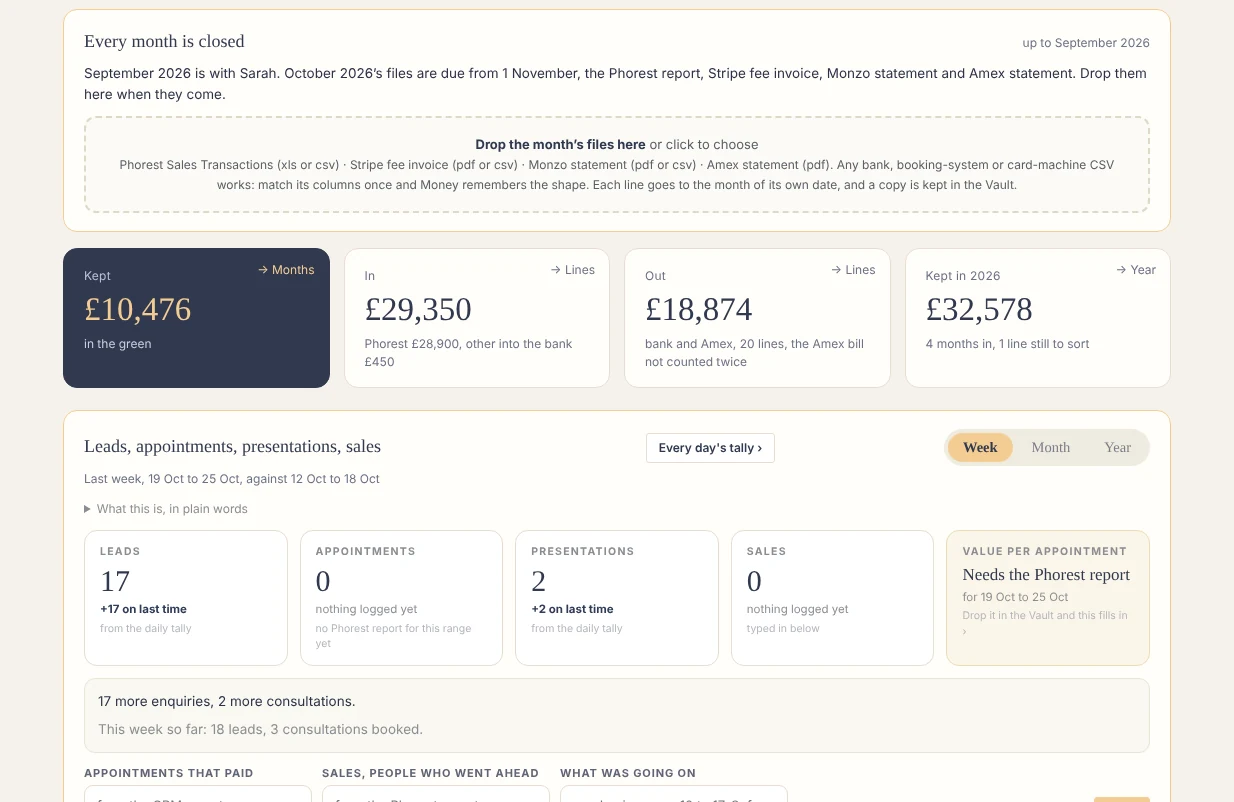
Drop in the files exactly as you download them: the sales report from the booking system, the card processor's fee invoice, the bank statement, the card statement. All at once or one at a time, any order. Every line is read and given a date, a direction and a bucket. A line the app has not seen before is asked about once, and remembered. The first month takes a while. The sixth takes minutes.
2. Sort
Anything the app could not place sits in a short list called Needs your call. You put each one in its bucket. If the clinic splits medical and cosmetic for VAT, you check the split here too. This is the only step where you have to think, and it gets shorter every month.
3. The figures for the accountant
The accountant page is prefilled from the imports: takings by type, other money in, what went out, the lines she has asked about. You adjust it to what you are actually sending her. She gets exactly what she asked for and nothing else, which, if you have ever had the "can you also send me" email on the 2nd, is the whole point.
4. Approve and lock
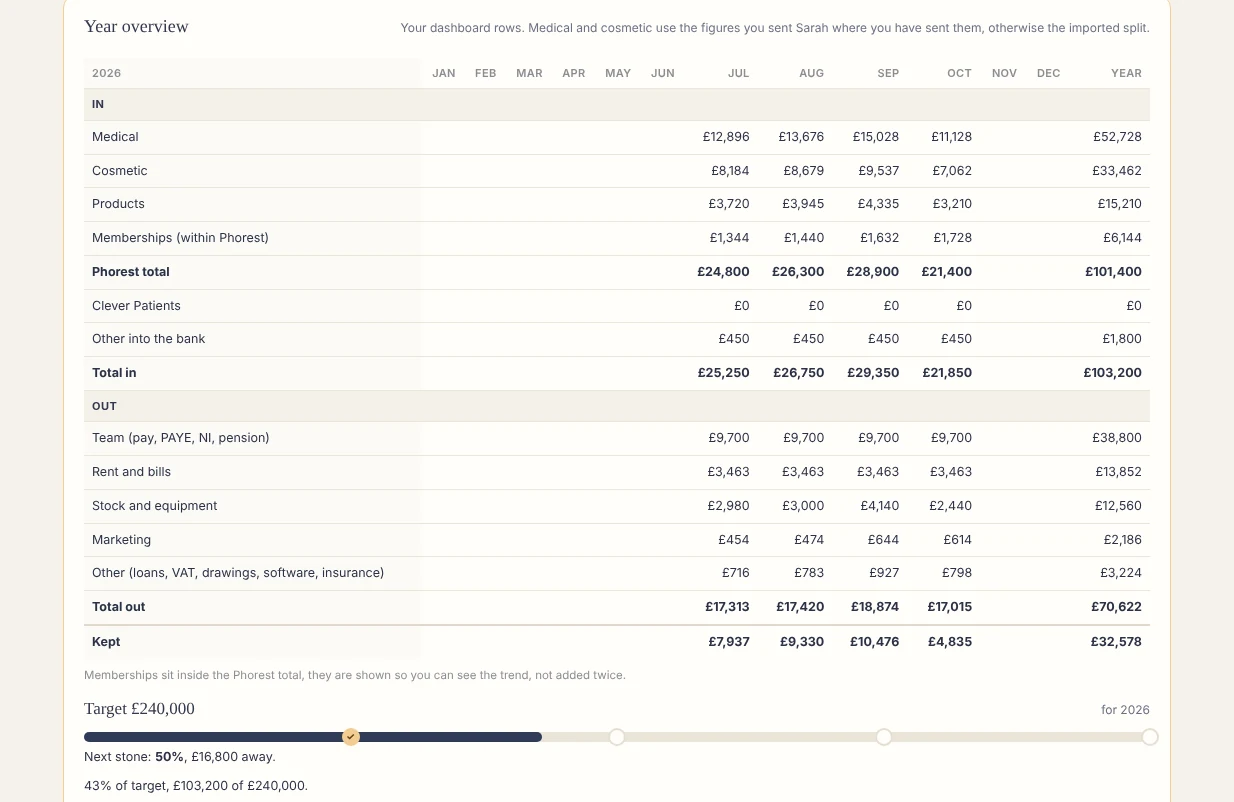
One button. The month is closed. In, Out and Kept are now one set of figures that every page in the app agrees with, the tiles, the year overview, the leaky buckets. Nothing drifts between tabs.
5. Send
Copy the pack, mark it sent, and it appears on the accountant's own page. Done. Next month's card shows the day the files are due.
What it gives you back
Not a spreadsheet. A sentence. "September is closed, kept this much, October's files are due on the 1st." And a year overview that fills in month by month, so by March you can see the shape of the year rather than guessing at it.
"The month closes at my kitchen table, not in the accountant's office a quarter later."